Send Phone Orders Straight to Your POS — No Re-Keying (2026)
Your phone rings, your hands are full, and the call drops to voicemail. By the time someone listens to it, scribbles it down, and types it into the register, an item is wrong—or the customer has already called somewhere else. Now multiply that by every shift, every rush, every employee who adds their own interpretation to a muffled two-minute recording. The gap between "customer placed an order" and "that order is actually in your system" is where mistakes live, and most local businesses absorb it silently because they have never seen a better path.
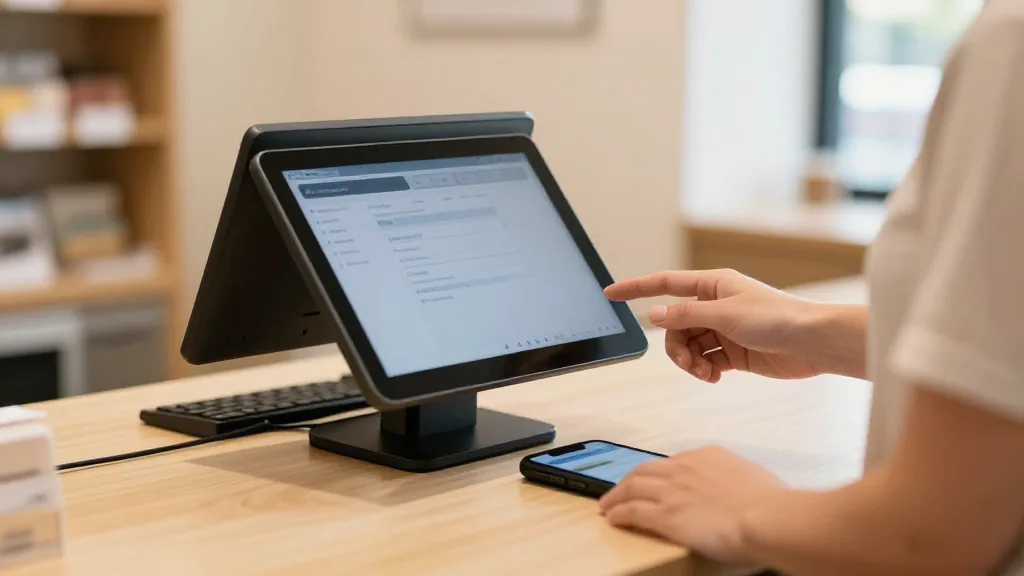
This article explains how to close that gap completely: an AI that captures orders and requests by voice call, text message, or email and drops a completed ticket directly into your point-of-sale—so your staff never re-keys a single line item. The integration is live today with Square, Clover, Loyverse, Epos Now, and Revel, and the approach works across businesses far beyond restaurants: retail shops, salons, clinics, hotels, home-service companies, and repair shops all face the same underlying problem.
The quiet cost of re-keying
Walk through a typical week at a local business and the same failure shows up wearing different clothes.
At a restaurant, the dinner rush hits at 6:45. Two servers are running plates, the host is seating a party of eight, and the phone rings. Nobody grabs it. The caller—a regular who wanted a $70 pickup order—hangs up after four rings and orders from the place down the street. An hour later the scene has repeated itself several times: the line buzzes, hands are full, calls pile into a voicemail inbox nobody checks until close. One employee listens to the recordings, tries to decode "the number six with extra—something—and a large," types it manually, and hopes the kitchen doesn't ask questions.
At a nail salon, the front desk is texting a confirmation to one client while a second calls to add a gel upgrade to her appointment. The associate says "I'll put that in" and does—on the wrong day. The client arrives expecting 90 minutes; the schedule says 60. The gap spills into the next booking and the apology costs more than the upgrade.
At a pet supply retailer running curbside pickup, a regular calls to add two items to a hold order she placed online. The associate is at the register with a queue behind her. She grabs a Post-it. Post-its are not inventory records. When the customer arrives, one item is missing from the bag and the original hold has already been released back to the floor.
At a plumbing company, the dispatcher takes a service call on a personal cell while driving, types the address from memory that evening, transposes two digits, and the technician shows up on the wrong block. The customer has already called a competitor.
At a hotel, a guest calls the front desk at 11 p.m. to request extra towels and a late checkout. The night agent, managing three simultaneous check-ins, scrawls a note. The note doesn't make it into the property system. The housekeeping team has no record of the request in the morning. The guest posts a review.
These are not staffing failures. They are system failures—specifically, the failure to capture what the customer said and complete the action without a human in the middle. Remove the re-keying step and most of the downstream problems disappear with it.
What "send phone orders to your POS" actually means
The phrase has a precise definition. The AI answers the customer's call, reads their text, or parses their inbound email. It understands what they want—items, quantities, modifiers, appointment details, service requests—and writes a completed, structured record directly into your point-of-sale or booking system. No employee transcribes. No ticket waits in a queue for someone to confirm and enter. The moment the customer finishes, the order is in the system exactly as stated, and the kitchen printer or fulfillment queue fires immediately.
The test that matters: a bot that takes a message and emails it to you is still re-keying—it has just moved the manual step to a different employee. True POS integration means the order lands in the system your team already uses to run the business, with zero human entry between customer and ticket.
KwickPhone connects natively to Square and Clover for restaurant and retail environments, to Loyverse for multi-location retailers and quick-service operators, and to Epos Now and Revel for operators who need broader inventory and floor-plan control. For other systems, the integrations directory shows each connector's current status and required credentials—verify directly before you commit to any platform.
Voice, text, and email: one AI across all three channels
The phone call is the channel most people think about first, but customers reach local businesses in at least three ways—and the re-keying problem lives in all of them.
By voice
KwickPhone answers every call on the first ring, 24 hours a day, handling as many concurrent calls as ring at once. There is no "all agents are busy" recording. During a Friday dinner rush, a Saturday-morning salon rush, or a hotel's overnight window, every caller reaches a live AI that knows the catalog, the calendar, or the service menu—and completes the action without pulling staff off the floor. The conversation is natural: the caller speaks the way they would to a person, including interruptions, corrections, and "actually, make that two." The AI tracks context through the whole exchange so when a caller says "add the same thing I got last time," it knows what to ask.
By text
A customer who prefers SMS sends a text to your existing business number. The AI reads it, resolves any ambiguity by replying if clarification is needed, and completes the same action a voice call would have triggered—an order in the POS, an appointment on the calendar, a service ticket in the queue. This matters for repeat regulars who find it faster to text a standing order than call it in, and for customers in environments where a voice call is awkward.
By email
Wholesale accounts, corporate clients, and hotel guests often place orders or requests by email. The AI parses structured or semi-structured content—"we'll need 24 units of item #1142 and 12 of #1209 for Tuesday pickup"—and builds the ticket from it. The same pipeline, the same POS endpoint, no manual transcription.
All three channels funnel into a single ordering logic. Your staff see one unified ticket stream in the system they already use, regardless of which channel the customer chose.
How it works: understanding, grounding, completing
Understanding and grounding
The AI is grounded against your actual catalog: menu items and modifiers for a restaurant, service tiers and add-ons for a salon or clinic, SKUs and variants for a retailer, job types and service areas for a home-services company. Grounding is the step that keeps the system from inventing items or accepting requests your operation cannot fulfill. When a caller orders "the spicy chicken with extra pickles and a large horchata," the AI maps that to real items and real modifiers—and knows whether extra pickles are even an option on that build. Cheap bots skip this step and generate orders your kitchen has never heard of.
Completing the action
After understanding the request, the AI acts on it. For a restaurant, that means firing the order to the kitchen via the POS. For a salon or clinic, it books the appointment into the scheduling system. For a retailer, it creates the pick ticket or hold order. For a home-services company or repair shop, it opens a service request with the address, scope, and contact info already captured. The single question worth asking any vendor in this category is: what actually happens after the call? If the answer involves a staff member reading a transcript and entering data, you have not automated the work—you have automated the conversation around the work.
Six trades, one pattern
The POS-completion loop applies to any business that takes requests by phone and records them somewhere structured. The table below maps the most common re-keying pain points to what the AI completes instead.
| Business type | Typical re-keying pain | What the AI completes directly |
|---|---|---|
| Restaurant / quick service | Rush-hour orders mis-keyed or sent to voicemail | Order fired to kitchen via POS; payment link texted to caller |
| Retail (boutique, pharmacy, pet supply) | Hold orders lost on notes; wrong SKUs pulled for curbside | Pick ticket or hold order created in POS with correct SKUs |
| Salon / barbershop / spa | Add-ons booked on the wrong day; no-shows from manual reminders | Appointment booked into calendar; automated reminder texts sent |
| Medical / dental clinic | After-hours calls left on voicemail; intake info never captured | Appointment requested; intake form link texted to patient immediately |
| Hotel / short-term rental | In-room requests from paper notes; overnight gaps in coverage | Service request created in property system; confirmation sent to guest |
| Home services / repair shop | Job addresses mis-transcribed; technician routed to wrong address | Service ticket opened with verified address, scope, and contact |
For a deeper look at how the platform is configured for your specific trade, the by-trade guides walk through the Playbook rules and integration setup that matter most for each category.
Multilingual service with no extra staffing
The AI detects the caller's language within the first sentence—commonly English, Spanish, and Chinese among others—and switches automatically. An order in Spanish maps to the same POS ticket an English-speaking caller's would generate. A Mandarin-speaking patient at a dental clinic receives the same intake flow in her language that an English-speaking patient does in his. A Spanish-speaking regular at a quick-service counter gets a patient, fluent AI host without the business needing to schedule multilingual staff across every shift. The same item-level grounding and modifier resolution applies in each language, so the kitchen sees a correct ticket regardless of which language the caller used to place it.
What the AI does with a difficult call
Concurrent calls
Human staff answer one call at a time. The AI answers as many as ring at once—so the third and fourth caller during a Saturday rush at a salon, or the second and third caller at a repair shop's Monday morning open, all reach a live voice instead of voicemail. The calls that overflow during peak hours are often where the largest share of recoverable requests hide, not in any single interaction.
Prank and abuse recognition
The system recognizes obvious abusive or prank calls and declines to act on them—so your kitchen does not receive ten bogus pickup tickets from a repeat offender. It can flag these interactions for the owner without placing any orders or taking any actions on the request.
Knowing when to hand off
A well-built assistant stays in its lane. KwickPhone transfers to a human when the caller asks for a person—caller preference is absolute. It also escalates on its own when an order is unusually large, when it recognizes a VIP or wholesale account that warrants a personal conversation, or when the request falls outside what it can safely complete. The goal is to catch the routine, high-volume calls so your staff can give their full attention to the interactions that genuinely need a human. A system that traps callers in a bot with no exit is a worse experience than the missed call it replaced.
Owner controls: your business, your rules
KwickPhone puts configuration in the owner's hands without requiring a developer. Through per-merchant Playbooks you encode how your specific business runs: always offer the combo upgrade, never promise same-day service after 4 p.m., transfer anything above a certain order size to the manager, always pitch the loyalty signup on a first-time caller. The AI voice is chosen from a library of 20+ voices and personas so the assistant matches your brand—warm neighborhood tone or crisp professional delivery. You can update hours, pull a sold-out item, or pause a specific ordering flow by spoken command, which matters when you're on the floor and not at a keyboard.
Setup: keep your existing number
You do not change your phone number. You keep your existing line and forward calls to KwickPhone. On a traditional landline the standard forwarding activation code is *72 followed by the forwarding number, and *73 to deactivate—though the exact codes vary by carrier, so confirm with yours before you switch. On VoIP, you point the number to the KwickPhone line in your provider's dashboard. You can choose to forward all calls, only the ones your staff don't pick up in time, or only calls that arrive outside business hours—so the AI becomes your after-hours operator while your team handles the counter during the day.
Drop every order straight into your POS
KwickPhone captures orders by voice, text, and email and completes them natively in Square, Clover, Loyverse, Epos Now, or Revel—no re-keying by your staff. Curious how it sounds on a real call? Try the live demos at /#try—real lines, not canned recordings.
Book a demoFrequently asked questions
What does "send phone orders to your POS" mean?
The AI captures the customer's order—by voice call, SMS, or email—parses every item, modifier, and quantity, and writes it directly into your point-of-sale as a fully formed ticket. No staff member transcribes anything; the kitchen or fulfillment queue sees the order the moment the customer finishes.
Which POS systems does KwickPhone support right now?
KwickPhone is live and actively connected with Square, Clover, Loyverse, Epos Now, and Revel. For other systems, check the integrations directory for current status and required credentials, and verify directly before you sign up.
Can it handle orders by text and email, not just voice calls?
Yes. The same AI that answers your phone also reads inbound SMS and parses email orders. All three channels funnel into the same pipeline and drop a completed ticket into your POS—so a customer who texts gets the same speed and accuracy as one who calls.
What happens when a caller wants to speak to a real person?
The AI transfers immediately. It also escalates on its own for unusually large orders, VIP accounts, or requests outside what it can safely complete. It handles the routine, high-volume calls so your team can focus on the interactions that genuinely need a person.
Do I need to change my phone number to use KwickPhone?
No. You keep your existing number and forward calls to the KwickPhone line—usually *72 on a landline (codes vary by carrier, so confirm with yours) or a dashboard setting on VoIP. You can forward all calls, only unanswered ones, or only after-hours calls, depending on how you want to run it.
Related: AI phone answering for restaurants, how to keep your live menu in sync automatically, and how KwickPhone works end to end.