Ls+KPLightspeed + KwickPhone
Beta — available now
Integration · Lightspeed

Love Lightspeed? Add AI phone ordering on top.

Keep the Lightspeed Restaurant POS you already run. KwickPhone answers the phone, takes the order, and drops it straight into Lightspeed — no new hardware, no re-keying tickets.

Answers 24/7English & SpanishPCI-compliantNo new hardware
🚀 The Lightspeed connector is built and in beta. KwickPhone answers the call and takes the order today, and the direct Lightspeed connection is ready to enable — some accounts need Lightspeed partner approval first. Request access → and we’ll switch it on.
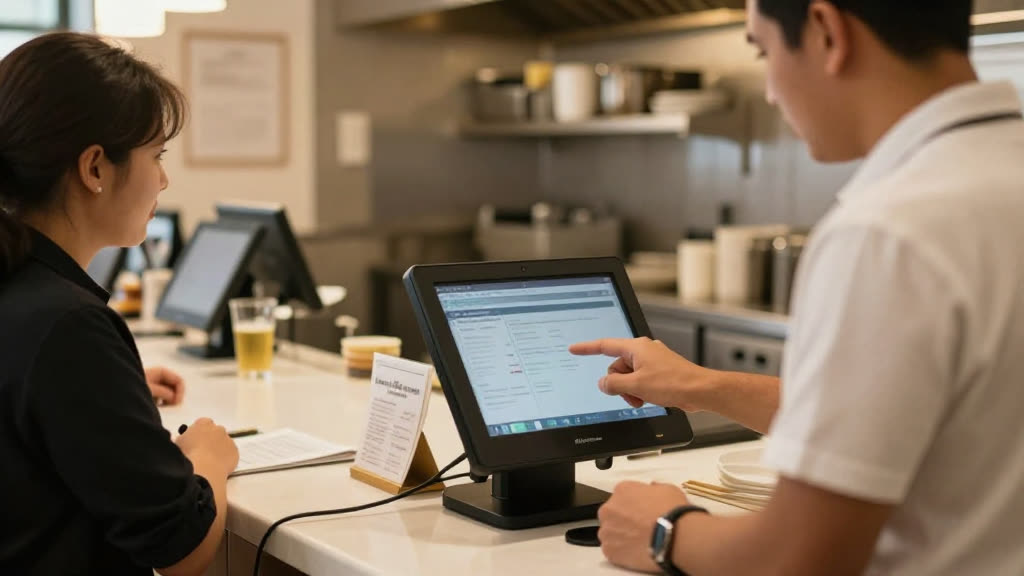
A real Lightspeed business taking a call while KwickPhone answers
What you’ll need

Get your Lightspeed details ready

Connection type: OAuth 2.0

  • Account domain — your X-Series subdomain
  • Access token — Lightspeed OAuth access token
  • Outlet ID — optional default outlet

Have these ready and connecting takes a minute.

How it works

Bolt it onto Lightspeed in minutes.

01

Answers every call

24/7, on the first ring, in English or Spanish — while you run the floor or work the job.

02

Takes the order

Grounded to your live Lightspeed menu, modifiers and prices — callers only hear what you actually sell.

03

Lands back in Lightspeed

The order is pushed straight into Lightspeed, so your staff never re-enters a ticket — and it can take payment on the call, PCI-safe.

Phone orders into LightspeedReal-time menu syncBolts on in minutes
Why KwickPhone

More than software — a phone that works for you.

Answers every call, 24/7

Every ring is picked up on the first try — rush hour, after hours, or while you’re heads-down on the work. No voicemail, no hold music, no missed revenue walking to a competitor.

Takes the order, books the job — and writes it back

It doesn’t just take a message. KwickPhone completes the order or booking, grounded to your real menu and services, and drops it straight into the tools you already run.

Speaks your callers’ language

Natural English, Spanish and Chinese out of the box — the agent greets and converses in the caller’s language, so every customer feels at home and nothing gets lost in translation.

In practice

It's the Friday dinner rush and every line is ringing while the counter staff are plating orders and running the register. A regular calls to place a pickup order, and KwickPhone answers on the first ring instead of dropping them to hold. It reads back items grounded to your live Lightspeed menu, so it only offers dishes that are actually in stock, applies the current prices, and captures modifiers like no onions or extra sauce. When the caller confirms, the ticket lands in Lightspeed exactly as if a cashier had rung it up, prints to the kitchen, and the customer gets a pickup time. Your team never stops moving to re-key an order, and nothing gets lost between the phone and the line.

Part of the 319-app KwickPhone platform

Lightspeed is one connection — KwickPhone is also running POS, POS Import, Online Order Page, Reservations and Waitlist & Text-When-Ready for the same business, all from the one phone number.

POSPOS ImportOnline Order PageReservationsWaitlist & Text-When-Ready

Questions

Do I have to switch off Lightspeed?
No. Keep Lightspeed exactly as it is — KwickPhone bolts on top and the orders land in Lightspeed.
Can it take payment on the call?
Yes — fully PCI-compliant. It charges a card on file or takes a new one, and no one reads a card number out loud.
How long does setup take?
Minutes. Sign up yourself and set it up by talking — no website or typing required.
What happens to phone orders if Lightspeed is down or the connection drops?
If Lightspeed is unreachable, KwickPhone holds the completed order and retries automatically, and it can text or email the ticket details to your staff so nothing is lost. The menu it reads from is cached, so callers can still place orders even during a brief outage. Once Lightspeed comes back, queued tickets are pushed through in order.
Does this work if we run multiple locations on Lightspeed?
Yes. Each location connects to its own Lightspeed account or store, so an order taken for a specific number or address routes to the right kitchen with that location's menu and pricing. You can manage all locations from one dashboard while keeping tickets and reporting separate per store.
What is not automated, and when does a call still reach a person?
KwickPhone handles standard pickup and to-go orders grounded to your Lightspeed menu, but it hands off calls it isn't set up for, such as large catering quotes, complaints, or special requests. You decide which situations transfer to staff or take a callback message. Payment capture and any age-restricted items are handled per the rules you set, not guessed at.
If we switch off the integration or leave Lightspeed later, what happens to our data?
Your menu, pricing, and customer records stay in Lightspeed, which remains the system of record; KwickPhone reads from it rather than replacing it. Order and call history captured by KwickPhone is exportable, and disconnecting only revokes access without altering your Lightspeed data. There is no lock-in that keeps your menu or tickets hostage.
Add AI phone ordering to Lightspeed today.