TP+KPTap to Pay + KwickPhone
On the roadmap
Tap to Pay · Tap to Pay

Accept a tap with just a phone.

No reader, no hardware. Tap to Pay turns a phone into a contactless terminal — the customer taps a card, Apple Pay or Google Pay on the back of your phone, and it’s done. EMV-secure, PCI-ready. (Runs in the KwickPhone mobile app.)

Answers 24/7English & SpanishPCI-compliantNo new hardware
The Tap to Pay integration is on our roadmap. KwickPhone answers the call and takes the order today — the direct push into Tap to Pay is in build. Request early access → and we’ll prioritize it.
A real Tap to Pay business taking a call while KwickPhone answers
What you’ll need

Get your Tap to Pay details ready

Connection type: API credentials

  • Tap to Pay API credentials — typically an API key or OAuth login from your Tap to Pay account

We confirm the exact Tap to Pay fields with you during setup.

How it works

Tap to Pay with Tap to Pay.

01

Answers every call

24/7, on the first ring, in English or Spanish — while you run the floor or work the job.

02

Customer taps

They tap a contactless card or phone (Apple Pay / Google Pay) on the back of your device — encrypted, EMV-secure, no reader to carry.

03

Settles with your gateway

The payment flows through your KwickPhone payment gateway to your account — phone orders and in-person taps, one record.

Contactless tap (NFC)No hardware — just a phoneAndroid app firstStripe or Dejavoo processor
In practice

A mobile detailer finishes a full interior job in a client's driveway at 4 p.m. and the customer wants to pay by card right there. KwickPhone has already logged the appointment and the agreed price during the booking call, so when the job wraps it prompts the owner to collect payment. The owner taps the customer's card or phone against the back of their own phone, and Tap to Pay processes the contactless charge through Tap to Pay with no separate reader. Once Tap to Pay confirms the transaction, KwickPhone marks the job as paid, records the amount against that customer's record, and texts a receipt to the number on file.

Part of the 319-app KwickPhone platform

Tap to Pay is one connection — KwickPhone is also running Mobile Detailing, Pay-by-Text Invoices, Deposits & Holds, Tips & Gratuity and Digital Gift Cards for the same business, all from the one phone number.

Mobile DetailingPay-by-Text InvoicesDeposits & HoldsTips & GratuityDigital Gift Cards

Questions

Do I need a card reader?
No — that’s the point. Tap to Pay uses the phone’s built-in NFC, so there’s no hardware to buy or carry. It runs in the KwickPhone mobile app (Tap to Pay needs a native app; it can’t run in a web browser).
Can it take payment on the call?
Yes — fully PCI-compliant. It charges a card on file or takes a new one, and no one reads a card number out loud.
How long does setup take?
Minutes. Sign up yourself and set it up by talking — no website or typing required.
What happens if Tap to Pay is down when I'm standing in front of a customer?
If Tap to Pay cannot process the tap, KwickPhone shows the failure immediately so you can retry or take another payment method on the spot. No charge is recorded on your side unless Tap to Pay returns a successful authorization, so you won't have a job marked paid that never actually went through.
What exactly does KwickPhone do versus what Tap to Pay handles?
KwickPhone triggers the payment prompt, ties the transaction to the right job and customer, and sends the receipt text. The actual card read, encryption, authorization, settlement, and payout all happen inside Tap to Pay, which remains the system of record for funds. We do not touch or store the card data ourselves.
Can I run this across multiple locations or several field techs?
Yes. Each phone that has the KwickPhone and Tap to Pay setup can take taps independently, and transactions are attributed to the tech or location that collected them. You can review totals per location in your reporting rather than pooling everything into one bucket.
If I switch away from Tap to Pay later, do I lose my payment history?
Your transaction and payout history lives in Tap to Pay, so it stays in your Tap to Pay account whether or not KwickPhone is connected. If you move to a different processor, you disconnect Tap to Pay in KwickPhone and connect the new one; the appointment and customer records we hold stay with us.
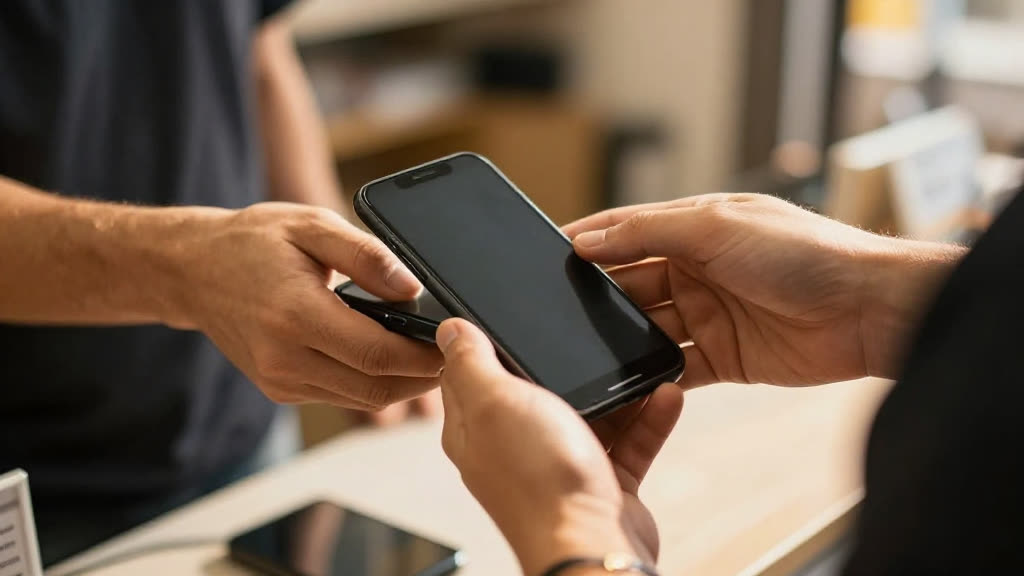
Accept tap-to-pay with Tap to Pay.